Support
Email us at contact@sproutgrade.com. Tell us your device model and its iOS or Android version, and what happened. We usually reply within a few days.
How do I play?
Tilt your phone left and right to carve. Hold a finger anywhere on the screen to tuck and go faster, and swipe up to jump. If your device has no tilt sensor, drag left and right to steer and put a second finger down to tuck. On a keyboard, use the arrow keys or A and D to steer, Down or S to tuck and Space to jump.
How does a run work?
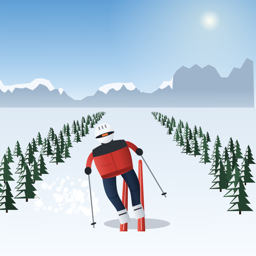
Pick your gear at the base lodge, then tap Ride the Lift. Choose your run on the way up (or tap Skip ride). At the top you race down to the finish at the base. Pass between each pair of gate flags: a missed gate adds two seconds to your time.
What makes me crash?
Running into another skier, landing a jump twisted or too hard knocks you over, and you get back up after a moment. Hitting a tree ends the run. Going off the groomed run into deep snow slows you right down.
How do I earn stars and coins?
Each run has three stars: beat the target time, clear every gate, and finish without a crash. You earn coins for every run you finish, with more for gates, stars, harder runs and personal bests. Spend them at the lodge on new skis, boards, helmets and jackets.
How do I unlock Black Diamond?
Finish Eagle Ridge in under one minute. The run list on the chairlift shows what each locked run needs.
How do I switch between skis and a snowboard?
At the lodge, open the Skis or Board tab and pick one. You ride whichever you chose last.
How do I pause?
Tap the pause button during a run. The game also pauses by itself if you switch apps or take a call.
Where is my progress saved?
Your coins, gear, best times and stars are saved on your device only. There is no account or cloud save, so deleting the app or moving to a new device starts you fresh. See the Privacy Policy.
Does it need an internet connection?
No. SkiRider 3D plays fully offline, with no ads and no in-app purchases.
The game feels slow or choppy
Close other apps that are running, restart your device, and make sure you have the latest version of SkiRider 3D. If it still happens, email us your device model.